Thursday, July 30, 2009

Using SyntaxHighlighter 2.0 on Blogger

First we load the latest .js and .css files of SyntaxHighlighter by adding this code to your HTML template page :

<!-- Loading Styles -->
<link href='http://alexgorbatchev.com/pub/sh/current/styles/shCore.css' rel='stylesheet' type='text/css'/>
<link href='http://alexgorbatchev.com/pub/sh/current/styles/shThemeDefault.css' rel='stylesheet' type='text/css'/>

<!-- Loading the core JS -->
<script language='javascript' src='http://alexgorbatchev.com/pub/sh/current/scripts/shCore.js'/>

<!-- Loading the Highlighters -->
<script language='javascript' src='http://alexgorbatchev.com/pub/sh/current/scripts/shBrushJScript.js'/>
<!-- Add more Highlighters here if you like ... -->

Then we add this script because of the removal of the <br> tags in the code blocks that are automatically inserted by the Blogger rendering engine in place of all line breaks (\n).

<script type='text/javascript'>
//<![CDATA[
function FindTagsByName(container, className, tagName)
{
var elements = document.getElementsByTagName(tagName);
for (var i = 0; i < elements.length; i++)
{
var tagClassName = elements[i].className;
if (tagClassName != null && tagClassName.search(className) == 0)
{
container.push(elements[i]);
}
}
}

var elements = [];
FindTagsByName(elements, "brush:", "pre");
FindTagsByName(elements, "brush:", "textarea");

for(var i=0; i < elements.length; i++)
{
if(elements[i].nodeName.toUpperCase() == "TEXTAREA") {
var childNode = elements[i].childNodes[0];
var newNode = document.createTextNode(childNode.nodeValue.replace(/<br\s*\/?>/gi,'\n'));
elements[i].replaceChild(newNode, childNode);
}
else if(elements[i].nodeName.toUpperCase() == "PRE") {
brs = elements[i].getElementsByTagName("br");
for(var j = 0, brLength = brs.length; j < brLength; j++)
{
var newNode = document.createTextNode("\n");
elements[i].replaceChild(newNode, brs[0]);
}
}
}
SyntaxHighlighter.all();
//]]>
</script>
Bookmark and Share

Rounded corners with CSS and HTML generator

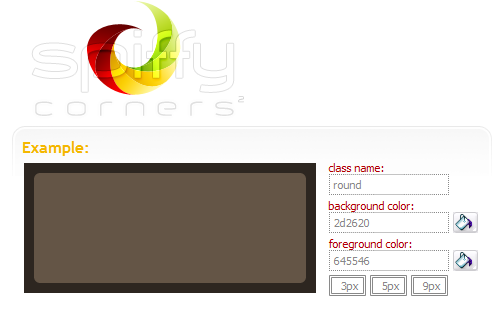
SpiffyCorners is a simple way to generate the CSS and HTML you need to create anti-aliased corners without using images or javascript.
Bookmark and Share

Wednesday, July 29, 2009

Browsershots

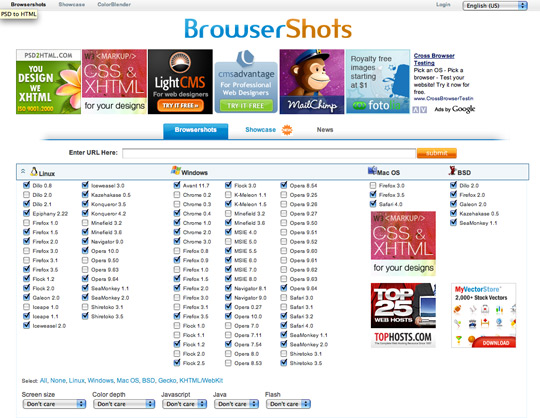
Browsershots makes screenshots of your web design in different browsers. It is a free open-source online service. When you submit your web address, it will be added to the job queue. A number of distributed computers will open your website in their browser. Then they will make screenshots and upload them to the central server here.

Bookmark and Share

Adobe BrowserLab

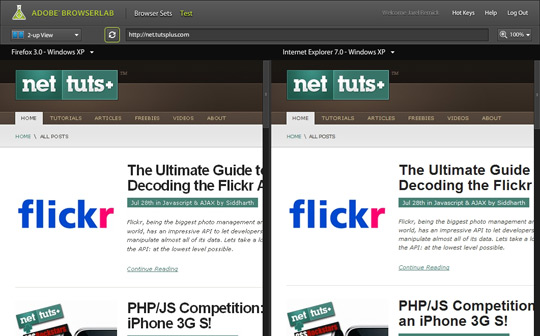
Adobe recently came out with a new service called BrowserLab which lets you view a snap shot of a website via URL in different browsers. It's fast, free and gives you a couple different viewing options to compare different browser versions.
Bookmark and Share

Firefox plugin: Web developer

The Web Developer extension adds a menu and a toolbar with various web developer tools.


Bookmark and Share

Monday, July 27, 2009

Bookmarklet: Firebug lite

Firebug is an extension for Firefox, but what happens when you need to test your pages in Internet Explorer, Opera, and Safari?

The solution is Firebug Lite, a JavaScript file you can insert into your pages to simulate some Firebug features in browsers that are not named "Firefox".

Firebug Lite creates the variable "firebug" and doesn't affect or interfere with HTML elements that aren't created by itself.

Screenshots:

IE
Opera
Safari
  • Firebug Lite as bookmarklet

Drag the following link to your bookmark toolbar and use Firebug Lite on any page:
Firebug Lite

Source: http://getfirebug.com/lite.html

Bookmark and Share

Friday, July 24, 2009

Firefox addon: Tamper Data

Use Tamperdata to view and modify HTTP/HTTPS headers and post parameters.
Trace and time http response/requests.
Security test web applications by modifying POST parameters.
Snapshots:


Bookmark and Share

Thursday, July 23, 2009

Test if jquery has loaded

To test if jquery has loaded, from any JavaScript console do:
if (jQuery) { alert("jQuery loaded"); }
Bookmark and Share

Wednesday, July 22, 2009

Firefox add-ons: Firebug

Firebug integrates with Firefox to put a wealth of development tools at your fingertips while you browse. You can edit, debug, and monitor CSS, HTML, and JavaScript live in any web page...

Snapshots:


Bookmark and Share

CSS Guides

Some good CSS guides and references from the internet:
- http://westciv.com/wiki/CSS_Guide
Bookmark and Share

CSS3 Gradients

Explore CSS gradients (both linear and radial) (an experimental feature in Safari 4, and a proposed addition to CSS3). You'll need Safari 4 or a webkit nightly to see the gradients in action, but it creates the CSS with Opera, Firefox and even Internet Explorer!

Bookmark and Share

CSS3 Sandbox (Shadows)

CSS now lets you create drop shadows on text, and on the box of an element. Explore CSS3 text-shadows (supported in Opera 9, Firefox 3.5 and Safari 1.2 and higher), and box-shadows (supported in Firefox 3.5 and Safari 3.1).

Bookmark and Share

Bookmarklet: XRAY

XRAY is a bookmarklet for Internet Explorer 6+, and Webkit and Mozilla based browsers (including Safari, Firefox, Camino or Mozilla). Use it to see the box model for any element on any web page.

XRAY works in Safari, Firefox and Internet Explorer. It helps you visualize the layout of your page. Add it to your bookmarks, and then on any web page, use it to see the position, margins, padding, dimensions and more details of any element.

XRAY uses lots of cool CSS3 features like border-radius, opacity, box and text shadow, as well as the HTML5 canvas.

Bookmarklet: Bookmarkme

Source: www.westciv.com

Bookmark and Share

Bookmarklet: MRI

MRI is a bookmarklet for Internet Explorer 6+, and Webkit and Mozilla based browsers (including Safari, Firefox, Camino or Mozilla). Use it to test and play with selectors.

MRI helps you create the best possible selectors for your CSS. Add MRI to your bookmarks bar, then for any page, click an element, and MRI suggests selectors for that element. You can also test selectors with it.

MRI also uses lots of cool CSS3 features like border-radius, opacity, box and text shadow, as well as the HTML5 canvas.

Bookmark: Bookmarkme

Source: www.westciv.com

Bookmark and Share

Tuesday, July 21, 2009

Bookmarklet: jQuerify

Someone recently asked if it was possible to somehow include jQuery in Firebug for testing jQuery code on web pages that don't already have it included.

It's not only possible to include the jQuery source right from the Firebug console, but you can also add a bookmarklet to your Bookmarks toolbar for one-click jQuery action!

Here is an example of what you could type into the Firebug console, line by line, to make a page ready for jQuery fun:

var s=document.createElement('script');
s.setAttribute('src','http://jquery.com/src/jquery-latest.js');
document.getElementsByTagName('body')[0].appendChild(s);

Or, simply drag the following link to your Bookmarks toolbar:

> jQuerify <

google jquerified

Please note that both the JavaScript example code and the jQuerify bookmarklet point to the jQuery source code on jquery.com. I've heard it's considered poor etiquette to freeload off of someone else's server like that, so if you plan to use the bookmarklet regularly, please point it to a copy of the source code on your own server if you have one.

Source: www.learningjquery.com

Bookmark and Share

jQuery & Greasemonkey

This is a simple snippet that helps us load the jQuery power into our userscripts with Greasemonkey:
// Add jQuery
var GM_JQ = document.createElement('script');
GM_JQ.src = 'http://jquery.com/src/jquery-latest.js';
GM_JQ.type = 'text/javascript';
document.getElementsByTagName('head')[0].appendChild(GM_JQ);

// Check if jQuery's loaded
function GM_wait() {
if(typeof unsafeWindow.jQuery == 'undefined') { window.setTimeout(GM_wait,100); }
else { $ = unsafeWindow.jQuery; letsJQuery(); }
}
GM_wait();

// All your GM code must be inside this function
function letsJQuery() {
alert($); // check if the dollar (jquery) function works
}

Bookmark and Share

Tuesday, July 14, 2009

Get a thumbnail view of .PSD files within explorer

1- Copy psicon.dll to :
C:\Program Files\Common Files\Adobe\Shell
if this folder doesn't exist create it.

3- Now you have a thumbnail view of .PSD files within explorer.
Bookmark and Share

Get a thumbnail view of .AI files within explorer

1- Copy aiicon.dll to :
C:\Program Files\Common Files\Adobe\Shell
if this folder doesn't exist create it.

3- Now you have a thumbnail view of .AI files within explorer.
Bookmark and Share

Setup and test an E-Mail Server on your PC

A good video explains how to setup and test an E-Mail server (Mercury) on your PC.
http://www.youtube.com/watch?v=_QnfF64rA78
Bookmark and Share

Sunday, July 12, 2009

How to execute [Javascript] on any page ?

How to execute [Javascript] on any page ?
- In any browser in the address bar type :
[javascript:xxxxxxx]
replace [xxxxxxx] by your code (e.g. [var a="Hello";alert(a);])
Bookmark and Share

How to see the exported functions of a [.dll] file ?

How to see the exported functions of a [.dll] file ?
- I use [LordPE] :
- Click 'PE Editor' > select your dll file
- Click 'Directories' > 'Export Table'
Bookmark and Share